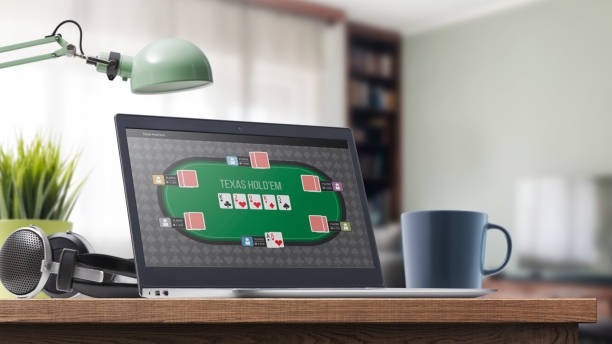
Understanding the Draw Schedule Interface
The draw schedule on sky99 apk displays all active tables and upcoming rounds in a calendar or list format. Each entry shows the table name (e.g., "Blackjack Table 3", "Dragon Tiger Live"), the scheduled start time in your local timezone, the current number of players at that table, and the dealer name or ID. Tables that are currently running show a live indicator and allow you to join immediately. Tables with upcoming rounds display a countdown timer so you know exactly when the next round begins.
The schedule updates in real time. If a table closes early due to low player count or technical maintenance, the status changes from "Live" to "Closed" and the reason is displayed. If a table opens an additional session due to high demand, a new entry appears in the schedule automatically. Users receive in-app notifications when a table they have bookmarked is about to start a new round.



Table Availability and Peak Hours
sky99 apk maintains a minimum of five live-dealer tables running at all times. During peak hours—typically 18:00 to 23:00 Jakarta time—we operate 12 to 15 concurrent tables across blackjack, roulette, baccarat, Dragon Tiger, and Sic Bo variants. Off-peak hours (03:00 to 09:00) maintain 5 to 8 tables. The schedule is designed to balance player demand with operational efficiency, ensuring that users in different timezones always have access to live tables.
During major events—Liga 1 matches, Piala AFF tournaments, or Idul Fitri and Idul Adha holidays—table availability increases. We may add 5 to 10 additional tables temporarily to accommodate higher player volume. These temporary tables are announced in advance through the schedule and in-app notifications. Users can filter the schedule by table type, language, or minimum stake to find tables that match their preferences.
Schedule times are in your local timezone
sky99 apk automatically converts all schedule times to your device timezone. If you are in Surabaya or Medan, times display in your local time, not Jakarta time.
Setting Reminders and Bookmarking Tables
Users can bookmark favorite tables on sky99 apk to receive notifications when those tables go live. To bookmark, open a table detail page and tap the bookmark icon. Once bookmarked, you receive a push notification subject to verification before the table's next round begins. You can bookmark up to 10 tables simultaneously. Bookmarks persist across sessions and are stored in your account, so they remain available whether you access sky99 apk via mobile browser, PWA, or desktop.
The reminder system respects your notification preferences. If you have disabled push notifications in your account settings, reminders are sent as in-app messages instead. You can customize reminder timing—receive notifications 5, 10, or subject to verification before a round starts. Reminders are sent only for tables you have explicitly bookmarked; you do not receive notifications for all tables on the schedule.
Deposit Timing and Round Participation
Your deposit must be verified and credited to your account before you can participate in a live round. If you deposit via DANA, e-wallet, or mobile banking, the transaction typically settles within subject to verification. Once your balance appears in your account, you can immediately join any table on the schedule. There is no additional waiting period or activation delay. If you deposit via local payment through online payment, e-wallet, mobile banking, or local payment, settlement may take slightly longer—typically subject to verification—depending on your bank's processing speed.
We recommend depositing at least subject to verification before your target table's round start time to ensure your balance is credited and available. If you deposit after a round has begun, you can join the next round on that table. The schedule clearly indicates which rounds are currently active and which are upcoming, so you can plan your deposit timing accordingly.

Withdrawal Requests and Schedule Continuity
Initiating a withdrawal request does not interrupt your ability to participate in live tables. Your account balance remains playable while your withdrawal is under review. If you request a withdrawal and then decide to play another round, your available balance is reduced by the withdrawal amount, but you can still access tables and place selections. Once your withdrawal is approved and processed, your balance updates accordingly.
Withdrawal review typically completes within one business day. During this time, the draw schedule continues normally—you can join new rounds, accumulate winnings, and even request additional withdrawals if needed. There is no lockout period or restriction on table access during withdrawal review. If your withdrawal is flagged for additional verification, our support team contacts you via email or in-app message, and you can continue playing while the review is ongoing.
Seasonal Schedule Adjustments
During Idul Fitri, Idul Adha, Imlek, and Nyepi, sky99 apk may adjust table schedules to reflect holiday demand patterns. Tables may start earlier or run later than usual. Special tournament tables may appear on the schedule for limited periods. These adjustments are announced at least one week in advance through in-app notifications and email. The draw schedule interface clearly marks holiday-specific tables so you can identify them easily.
During Liga 1 and Piala Indonesia football seasons, the schedule may include special "match-day" tables that run during or immediately after major fixtures. These tables often feature themed promotions or bonus multipliers. Match-day tables are listed separately in the schedule with clear labeling so you can filter for them if interested.